Editor's brief
Milliseconds determine the outcome of a competitive match. Balancing refresh rates, response times, and input lag reduces motion blur and ghosting, while the right panel technology and system integration ensure the hardware can actually keep up with a player's reflexes.
#Gaming Monitors
#FPS Gaming
#Hardware Optimization
#Esports Gear
In competitive first-person shooters (FPS), the difference between a successful headshot and a death screen often comes down to milliseconds. While skill and reflexes are paramount, the monitor serves as the critical bridge between a player's intent and the game's execution. Optimizing this interface requires more than chasing high specifications; it demands an understanding of how refresh rates, response times, and input lag converge to dictate motion clarity. Technical Foundation: The Interplay of Refresh Rate, Response Time, and Input Lag Analyzing monitor performance requires distinguishing between the frequency of image updates and the speed of those updates. Refresh rate, measured in Hertz (Hz), defines how many times per second the display updates the image. In fast-paced FPS games, moving from 60Hz to 240Hz, 360Hz, or 540Hz reduces stutter and enables smoother motion tracking, allowing players to follow targets with greater precision. High refresh rates alone do not guarantee clarity. Response time determines how quickly a pixel changes colors, typically measured as Gray-to-Gray (GtG)—the transition speed between colors—or Motion Picture Response Time (MPRT), which measures how long a pixel remains visible. Slow response times cause "ghosting," a trailing effect behind moving objects. This differs from "motion blur," which results from the sample-and-hold nature of most displays, where the eye perceives a blur because the image remains static between refreshes. Input...
In competitive first-person shooters (FPS), the difference between a successful headshot and a death screen often comes down to milliseconds. While skill and reflexes are paramount, the monitor serves as the critical bridge between a player's intent and the game's execution. Optimizing this interface requires more than chasing high specifications; it demands an understanding of how refresh rates, response times, and input lag converge to dictate motion clarity.
Technical Foundation: The Interplay of Refresh Rate, Response Time, and Input Lag
Analyzing monitor performance requires distinguishing between the frequency of image updates and the speed of those updates. Refresh rate, measured in Hertz (Hz), defines how many times per second the display updates the image. In fast-paced FPS games, moving from 60Hz to 240Hz, 360Hz, or 540Hz reduces stutter and enables smoother motion tracking, allowing players to follow targets with greater precision.
High refresh rates alone do not guarantee clarity. Response time determines how quickly a pixel changes colors, typically measured as Gray-to-Gray (GtG)—the transition speed between colors—or Motion Picture Response Time (MPRT), which measures how long a pixel remains visible. Slow response times cause "ghosting," a trailing effect behind moving objects. This differs from "motion blur," which results from the sample-and-hold nature of most displays, where the eye perceives a blur because the image remains static between refreshes.

Input lag is the end-to-end delay from a physical action, such as a mouse click, to the visual manifestation of that action on screen. Unlike response time, which is a panel-specific property, input lag involves the entire signal chain: the peripheral, the PC, and the monitor's internal processing. Consequently, a monitor with an instantaneous pixel response can still feel sluggish if its internal scalar introduces significant processing delay.
Panel Technology Comparative Analysis for FPS Performance
Panel technology dictates the trade-offs between speed, color, and longevity. OLED (Organic Light Emitting Diode) panels currently lead in raw speed, offering near-instantaneous response times often below 0.03ms GtG. This effectively eliminates ghosting regardless of the refresh rate, though the technology carries a risk of burn-in when displaying the static Heads-Up Displays (HUDs) common in competitive shooters.
Fast-IPS (In-Plane Switching) is the current industry standard for balanced competitive play, typically offering 1ms GtG response times while maintaining strong color accuracy and wide viewing angles. For years, TN (Twisted Nematic) panels dominated esports due to their speed, but they are increasingly displaced by Fast-IPS and OLED, which offer superior image quality.

Variable Refresh Rate (VRR) technologies—specifically NVIDIA G-Sync and AMD FreeSync—further refine the experience by synchronizing the monitor's refresh rate with the GPU's frame output. This prevents screen tearing without the heavy input lag associated with traditional V-Sync, which forces the GPU to wait for the monitor's refresh cycle. This allows for a fluid visual experience even when frame rates fluctuate during intense combat.
Top-Tier Monitor Recommendations for Competitive FPS
- Zowie XL2566K: Engineered for tactical FPS games like Counter-Strike 2 and Valorant, this 360Hz monitor utilizes DyAc+ (Dynamic Accuracy) strobe backlighting to minimize motion blur during rapid camera swipes. It is a specialized tool for players who prioritize movement clarity over color fidelity.
- ASUS ROG Swift PG248QP: Pushing the current limits of frame delivery, this display features a 540Hz refresh rate. It is targeted at professional esports athletes for whom every millisecond of frame delivery is critical, minimizing the gap between GPU output and user perception.
- Alienware AW2725DF: This monitor uses a 360Hz QD-OLED panel, merging OLED motion clarity with a high refresh rate. It removes the traditional trade-off between visual fidelity and speed, making it suitable for both competitive shooters and visually demanding AAA titles.
- Samsung Odyssey G6 (OLED): For players who prefer a larger, curved screen without sacrificing the response times needed for competitive tracking, the G6 OLED provides a high-refresh alternative. It offers an immersive field of view while maintaining the near-instantaneous pixel transitions of OLED technology.
Advanced Motion Clarity Mechanisms and Trade-offs
Beyond refresh rates, manufacturers use strobing techniques to combat sample-and-hold blur. Black Frame Insertion (BFI) inserts a black frame between image updates to "reset" the eye's perception of motion. However, BFI reduces perceived brightness and can introduce flicker, potentially causing eye strain during long sessions.
ASUS's ULMB 2 (Ultra Low Motion Blur) synchronizes strobing with VRR to maintain clarity without the stutter typically associated with BFI. Similarly, Zowie's DyAc+ synchronizes the backlight with the refresh cycle to sharpen images during "spraying" or "tracking" movements, which are foundational mechanics in tactical shooters.

The primary trade-off is luminance. Aggressive motion blur reduction significantly lowers panel brightness. This can impact visibility in dark in-game corners, meaning players must weigh sharper motion against the risk of losing visual information in low-light areas of a map.
System Integration and Hardware Bottlenecks
A high-end monitor is only as effective as the system feeding it. GPU throughput is the primary bottleneck; a 540Hz monitor provides no tangible benefit if the GPU only outputs 144 FPS. High-end GPUs, such as the NVIDIA RTX 40-series, are necessary to saturate these refresh rates.
Interface limitations also play a role. DisplayPort 1.4 and HDMI 2.1 offer different bandwidth capacities; using the wrong cable or port can cap the maximum refresh rate or resolution. Furthermore, CPU speed is often more critical for consistency than average FPS. The CPU governs "1% lows"—occasional frame rate drops—which cause jarring stutters in fast-paced environments even when average FPS remains high.
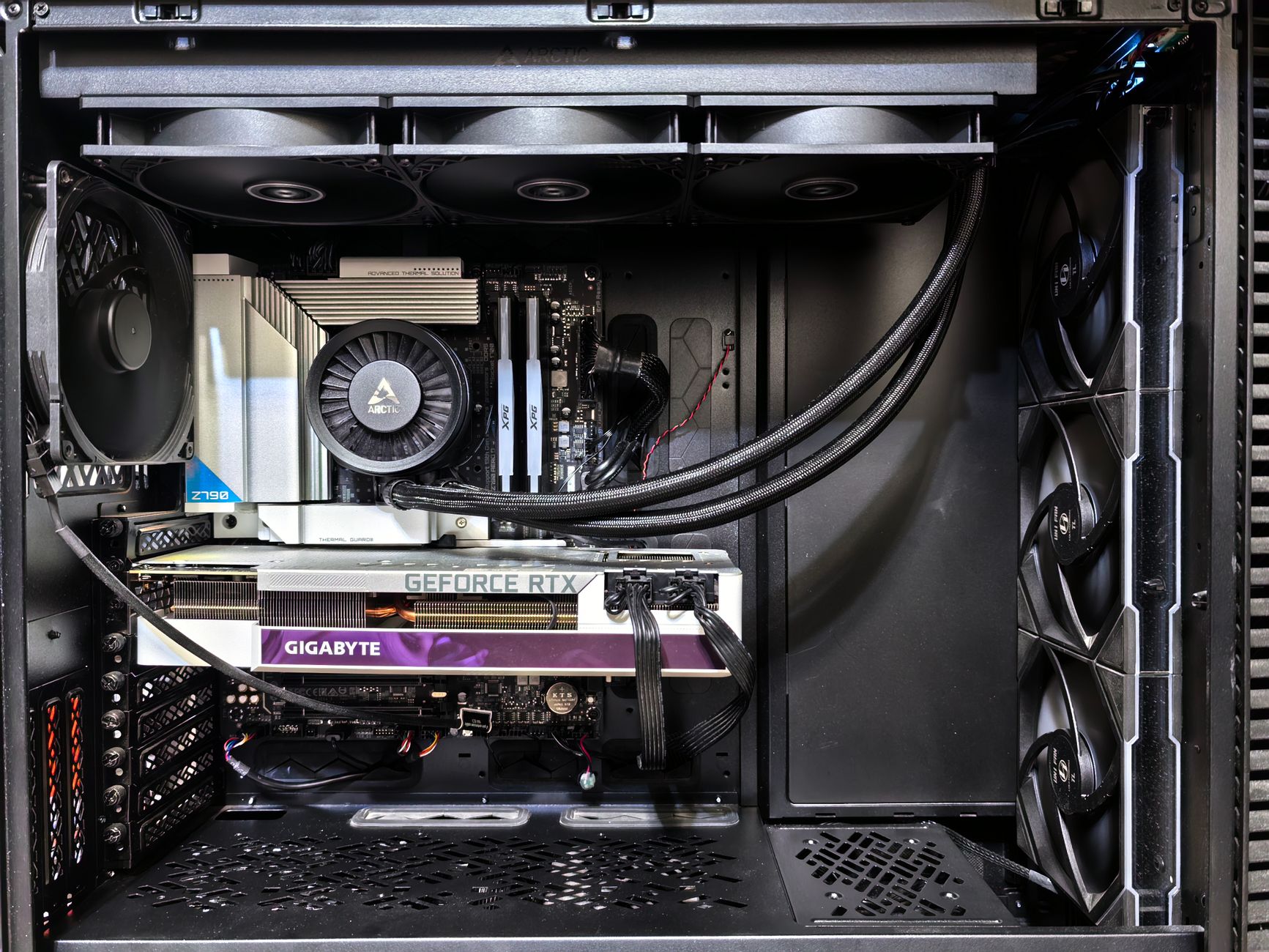
Finally, hardware requires correct configuration. Many monitors default to 60Hz upon first connection. Users must manually enable high refresh rates within Windows Display Settings and the NVIDIA or AMD control panels. Neglecting this step nullifies the benefits of a high-refresh display.
Glossary
| Term | Description |
|---|---|
| Black Frame Insertion | A motion clarity technique that flashes black frames between regular image updates to reduce the eye's perception of motion blur. |
| Gray-to-Gray | A standard measurement of pixel response time, indicating how fast a pixel can transition from one shade of gray to another. |
| Input lag | The total delay between a physical action, such as clicking a mouse, and its visual representation appearing on the screen. |
| Variable Refresh Rate | A display technology that dynamically synchronizes a monitor's refresh rate with the frame output of a graphics processing unit. |

Greetings! Daniel Kim here. I’ve spent 4 years navigating the world of gaming and tech columnist who tracks esports, game design trends, and the communities that form around them., and my roots in South Korea and training in Game Design continue to shape how I tell stories and break down ideas.